
Online Payment Guide
Overview
This guide provides detailed instructions for Holy Family University students on how to make an online payment for their Student ID, particularly if their ID has been lost or damaged and requires reprinting. To get your ID card, check with Campus Security Department, hfuid@holyfamily.edu, 267-341-3333.
Getting Started (Online Payment)
This section outlines the steps for making your Student ID payment online.
Log in to Self-Service
- Visit the Holy Family University Website.
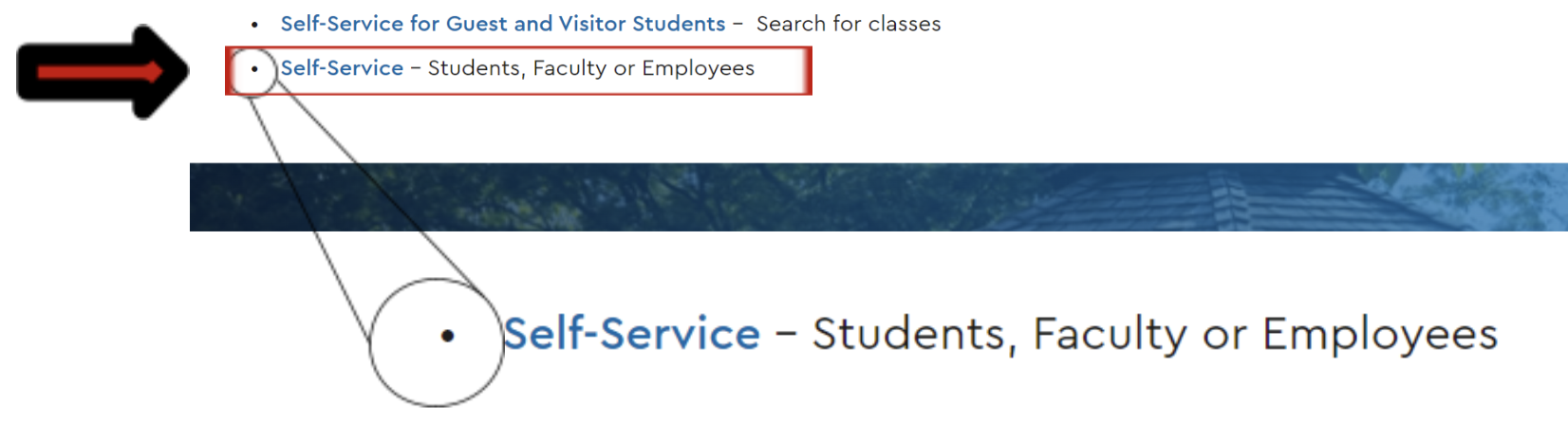
- Click on the "Self-Service" link.
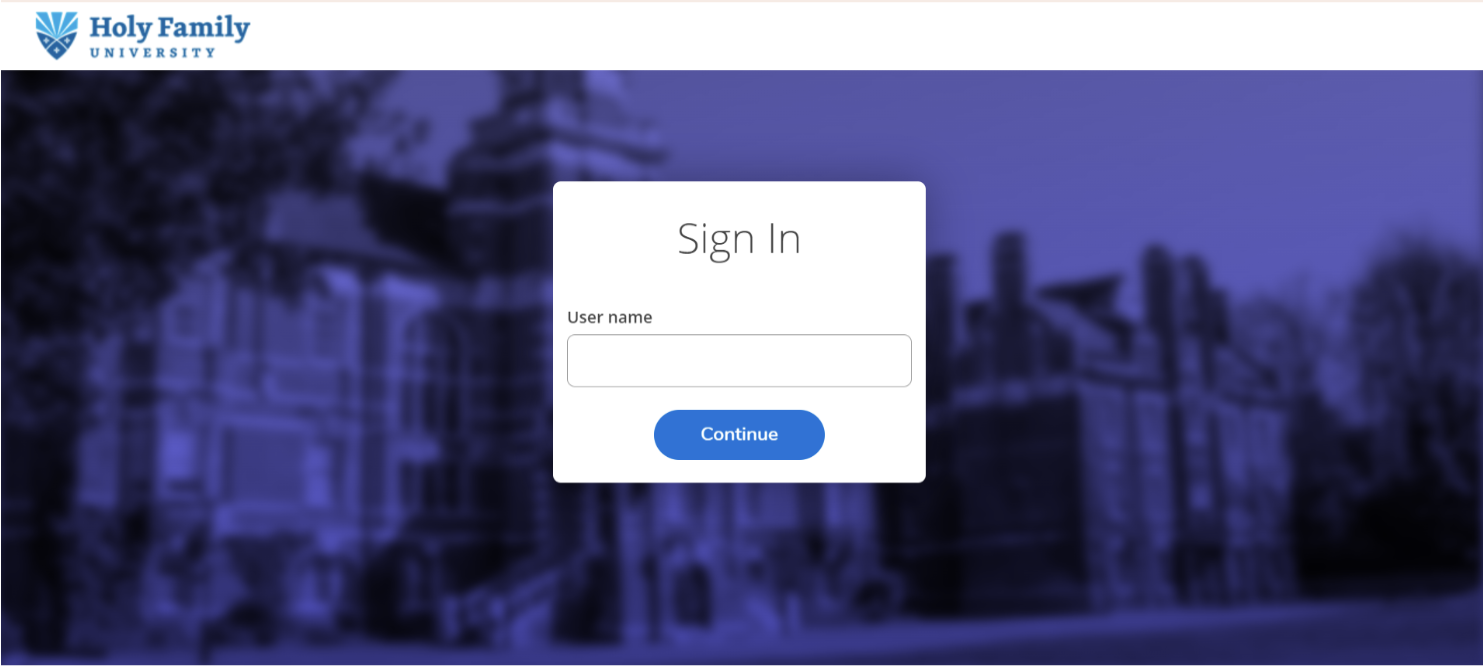
- Log in to your Self-service account using your Holy Family account information.

- Navigate to Student Finance
From the categories presented, click on the "Student Finance" tab. This
section allows you to view your latest statement and make online payments.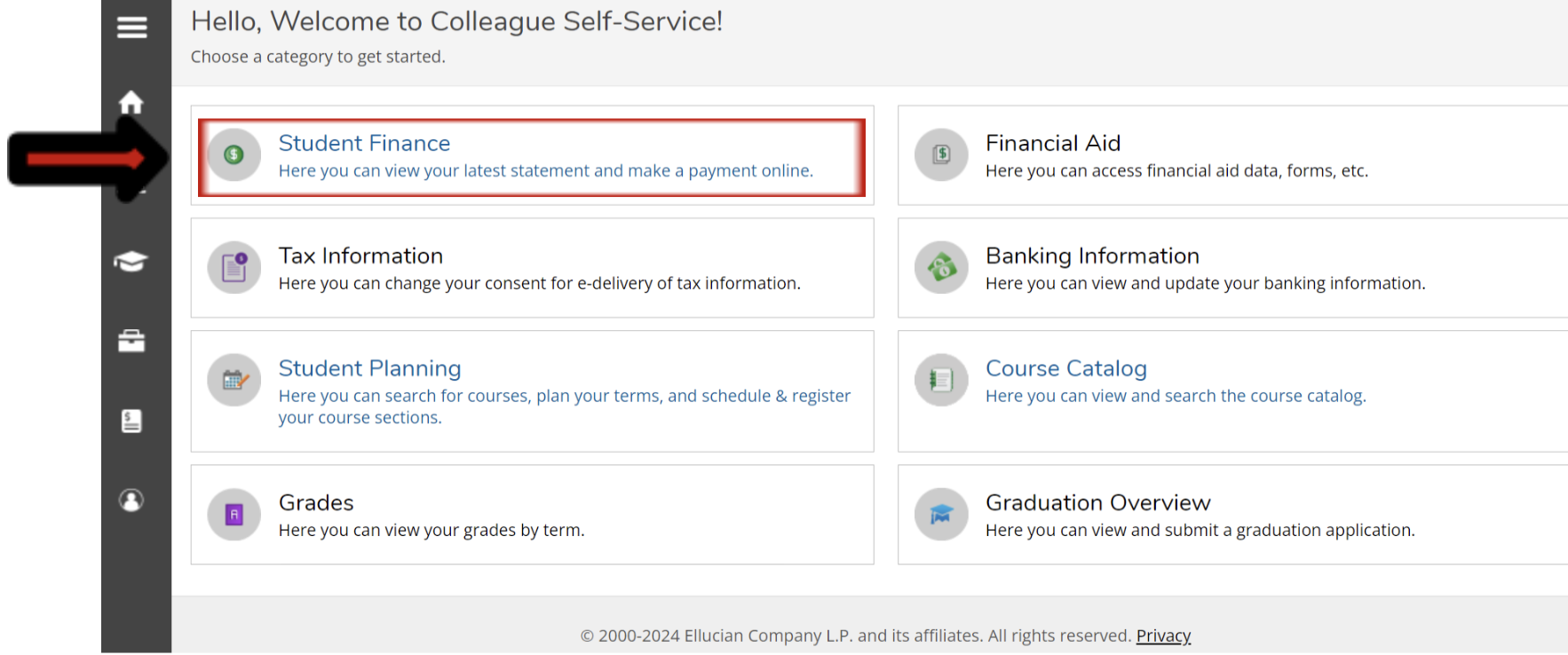
- Initiate a Payment
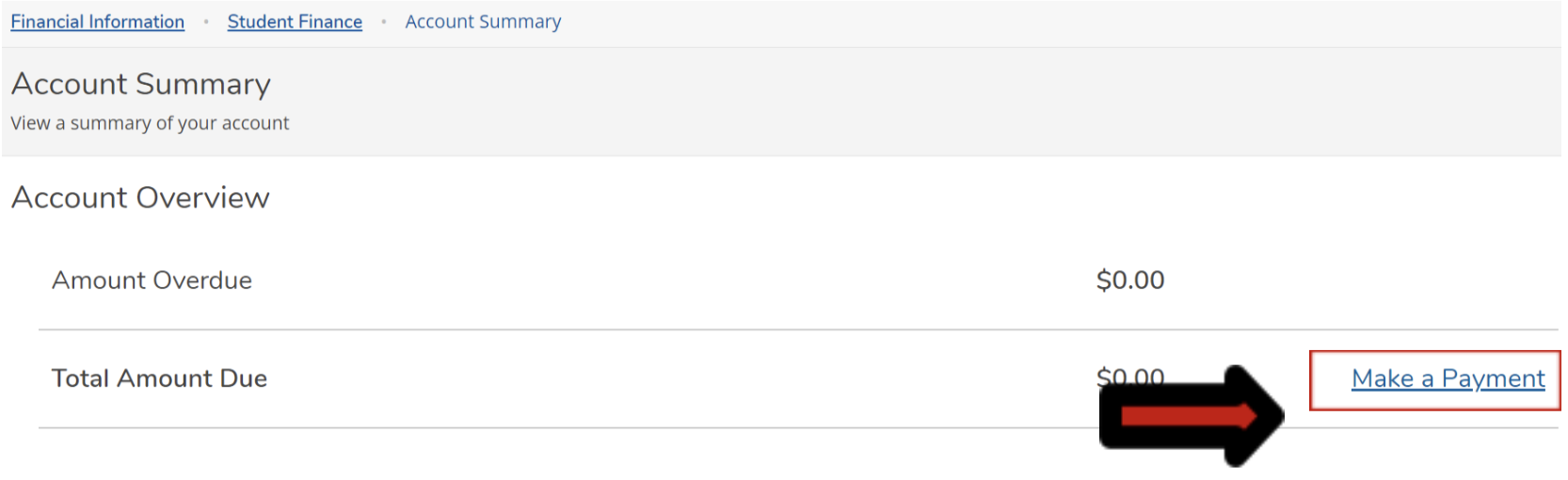
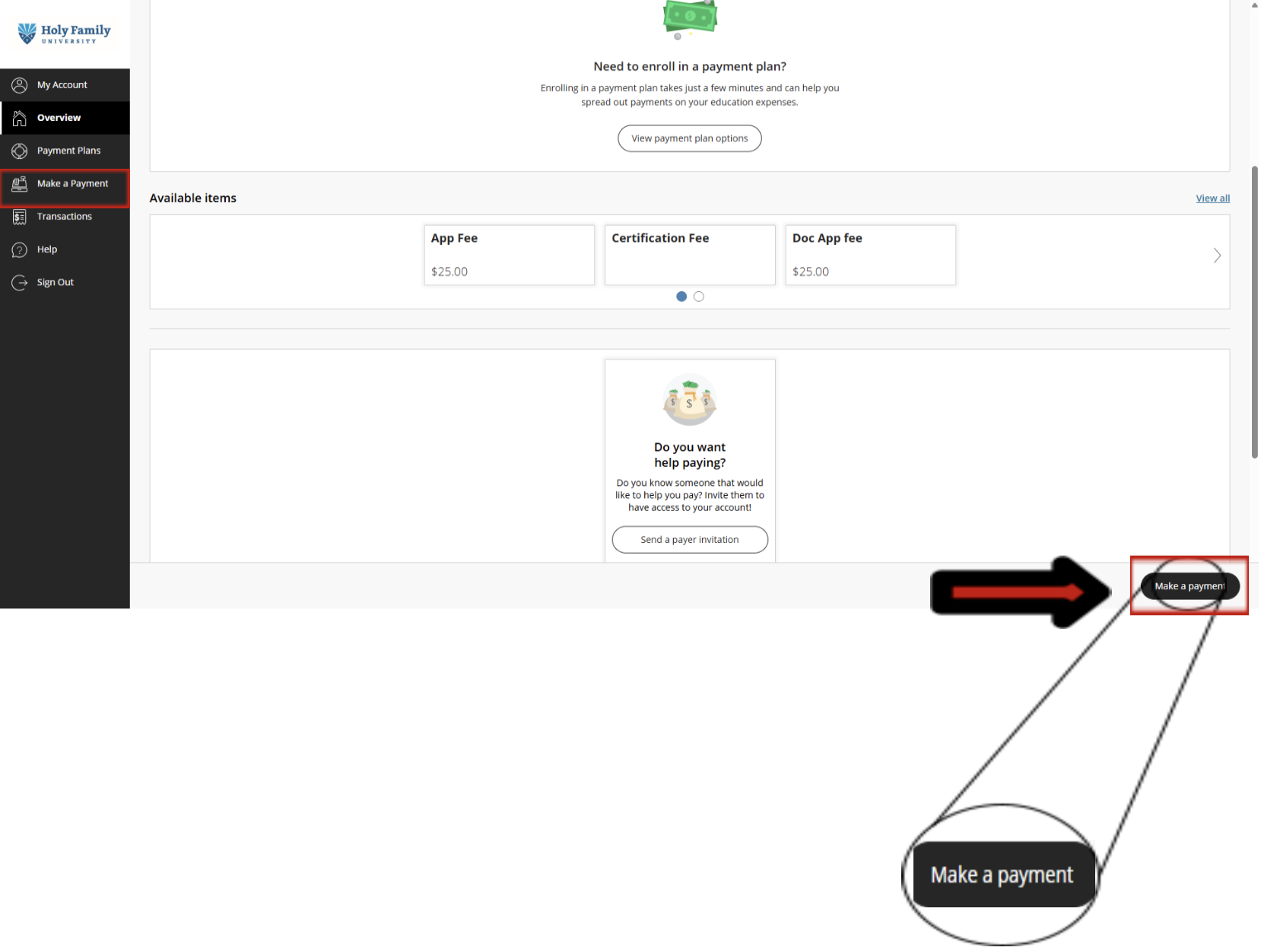
On the "Account Summary" page, under "Account Overview," Click on the "Make a Payment" tab to proceed.
- Making the Payment (Follow the steps in the pictures)
- You will be taken to the Commerce CashNet portal
Next, click on "Make a Payment" to display the complete list of available payment options. Click on “View all items.”
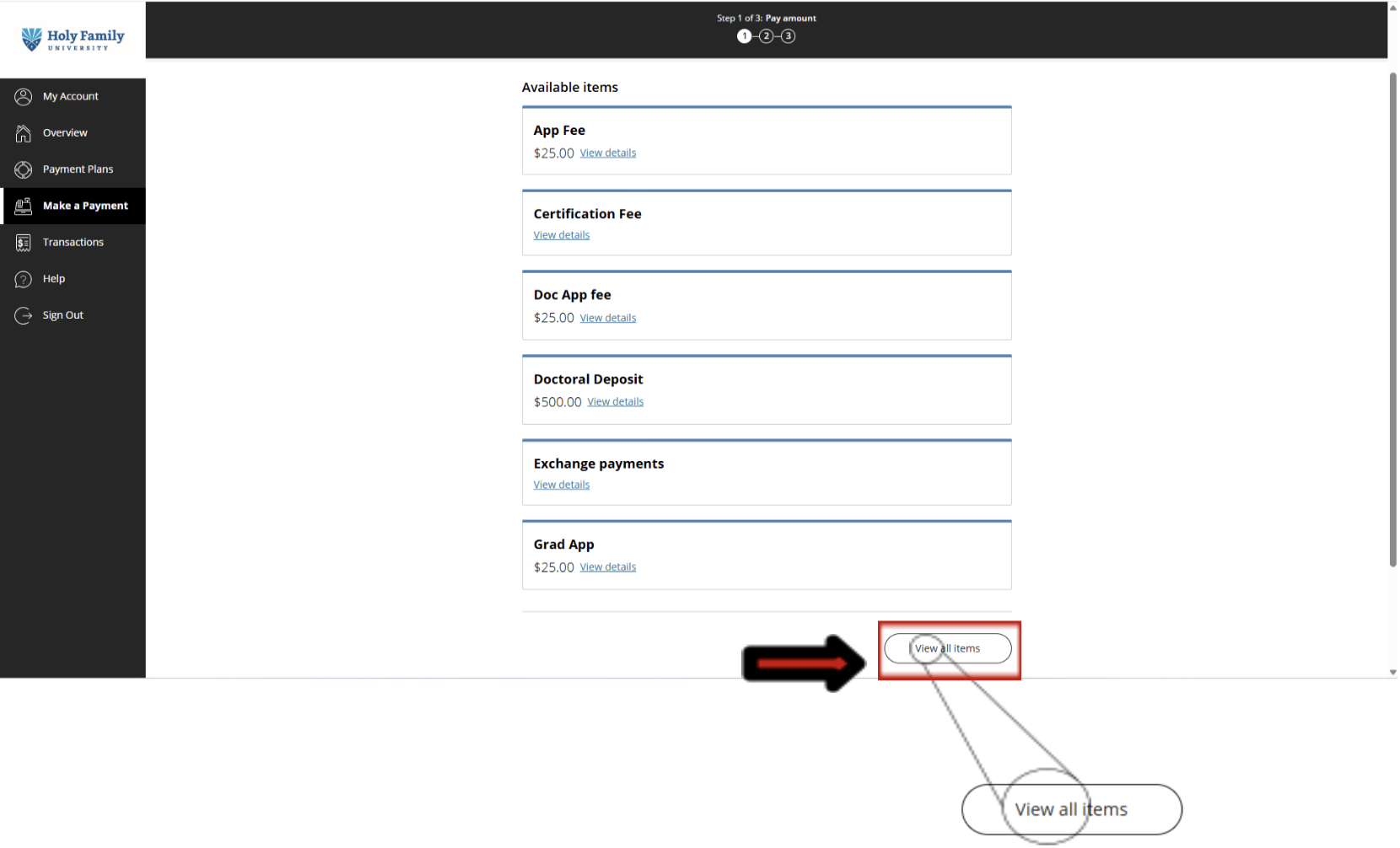
- From the displayed list of available items, select "ID Fee - $10."
Continue to follow the prompts to complete the payment process.
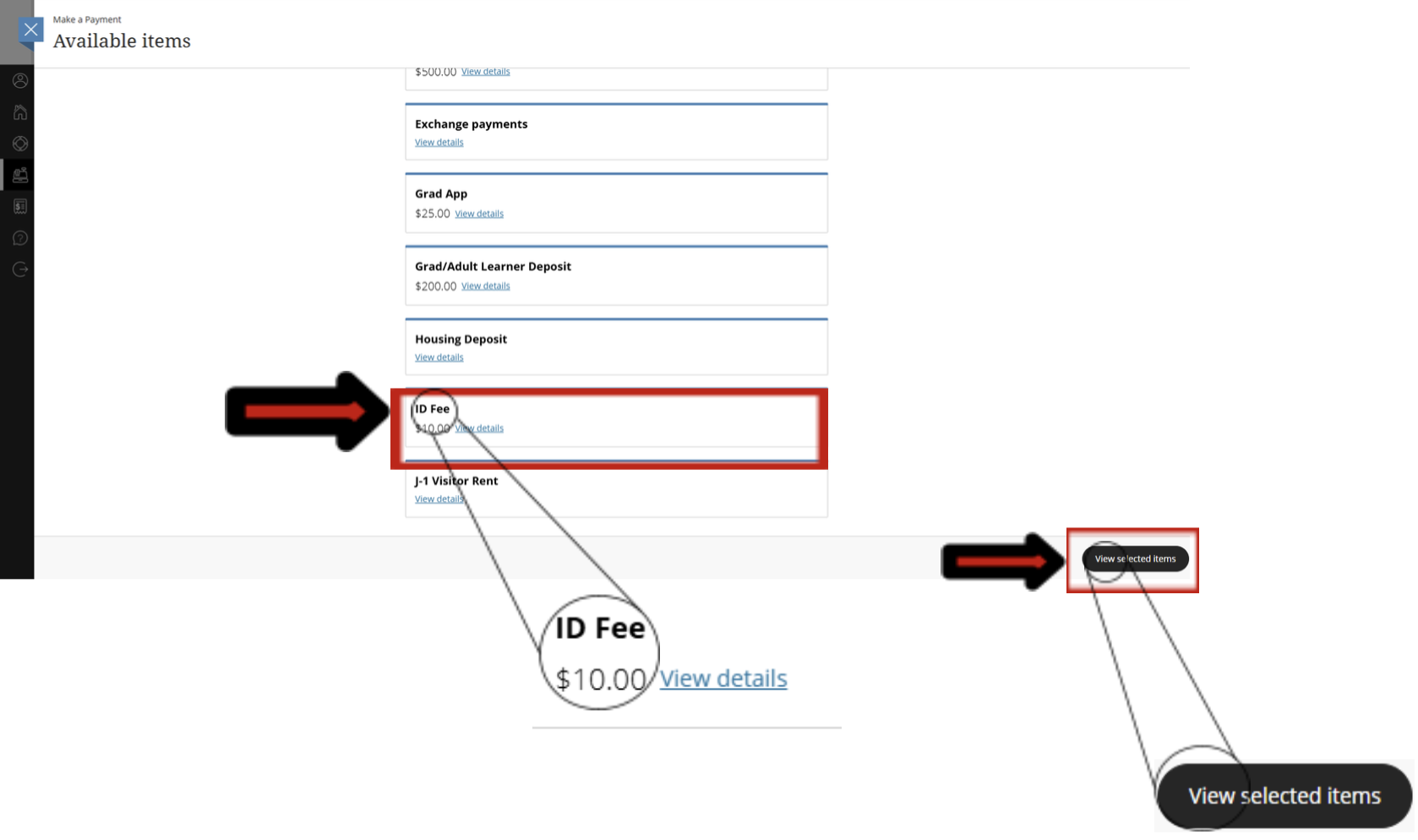
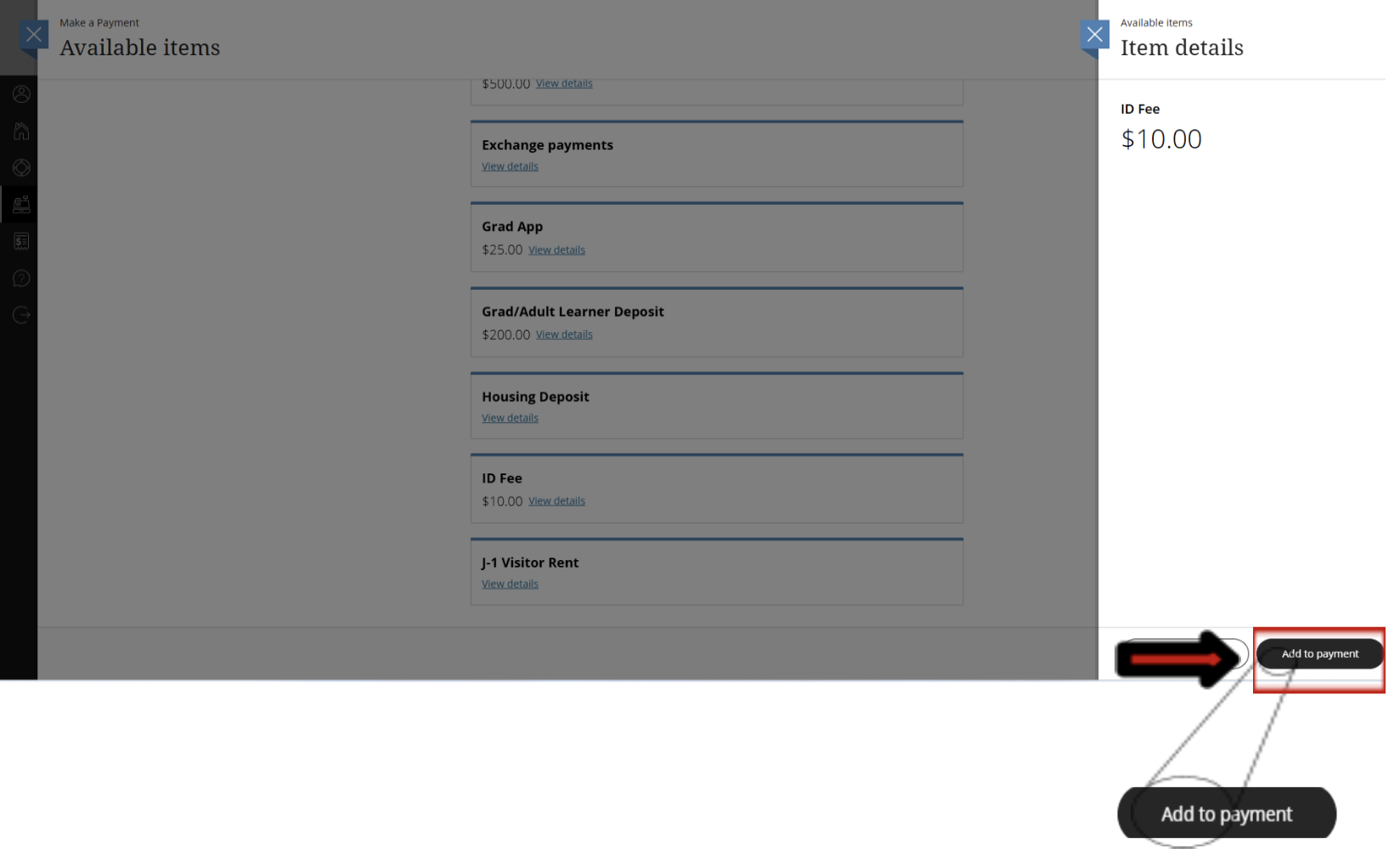
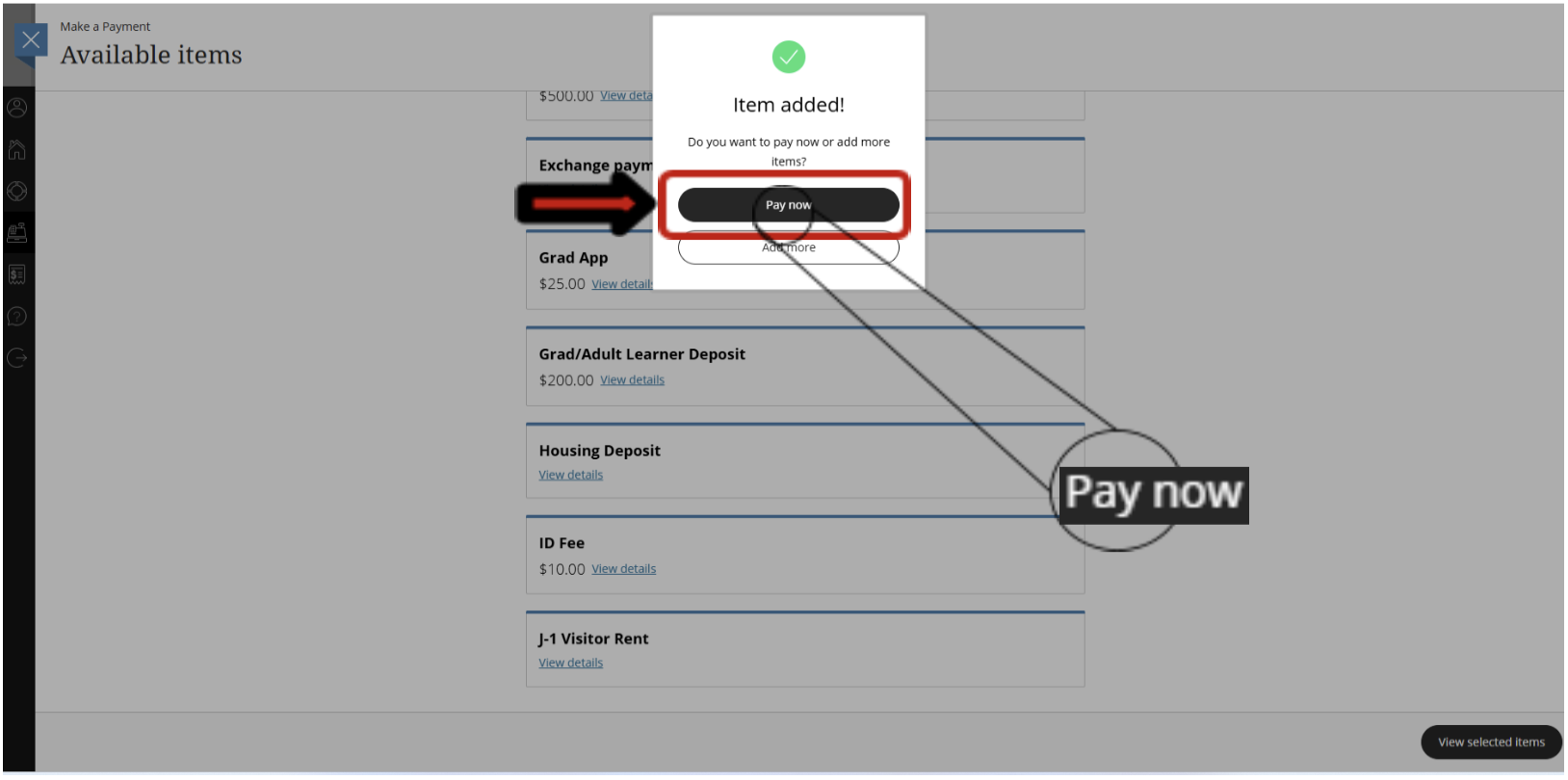
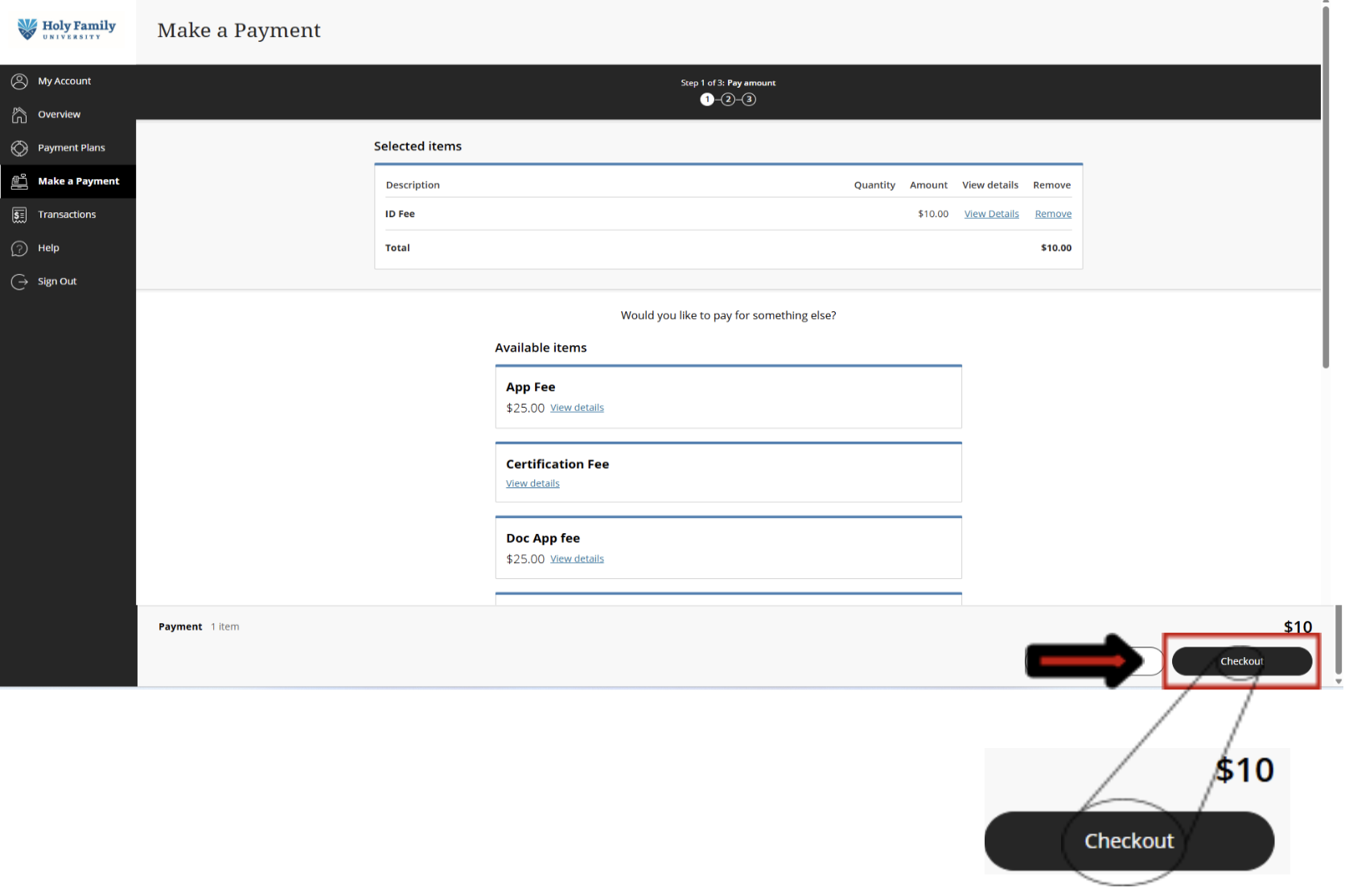
- Select and Complete ID Fee Payment
- Click “Checkout”; Provide your preferred payment method for how you would like to make the payment!
- Important: After making the payment online, you will receive a confirmation email with a receipt to your official Holy Family email address!
In-Person Payment Option
If you prefer to make your payment in person using cash or a credit card, please visit:
- Office: Student Accounts Office
- Location: Room HFH 202
- Contact Number: 267-341-3202
- Email: studentaccounts@holyfamily.edu
Troubleshooting
- Payment Not Reflecting: If your online payment does not reflect after a reasonable period, please contact the Student Accounts Office using the details provided above.
- Login Issues: For Self-Service account login issues, contact the IT Help Desk at 267-341-3402.
Frequently Asked Questions
Why do I need to pay for a new ID?
This payment step is specifically for students who need a new ID because their previous one was
lost or broken. For Students, their first ID card will be free!
Can I pay for other fees through this process?
While the "Available items" section may show other fees, this guide specifically directs you to select and pay for the "ID Fee - $10." For other payments, please ensure you choose the correct item.
Where to get my ID after successfully making the payment?
Get your ID card from Campus Security Department, hfuid@holyfamily.edu, 267-341-3333.